Android Utility PRO (AUP) - [v130.00.2833:13:03:2024]
🤖 Android Utility Tool is a small utility software for Windows computers that has been developed by Mofadal. Every month, a new update is released for all users. Today, Mofadal has published the latest update, 🆕 Android Utility Tool v130, which includes some major updates. This tool allows you to perform multiple operations on your Android device such as user lock 🔒, FRP, firmware format, and Qualcomm and MTK devices.
The tool comes in two editions, one for pro users who need to connect to any dongle running on a Smart Card Driver. If you already have a dongle, then the tool will directly open without any error message 🚫📩. However, if you are a normal user or don't have a dongle, you can still use most of the features of the tool.
Features Android Utility Tool
Below are some of the features of the tool that you can check:
Mediatek [BootRom]:
| Feature |
Description |
| Disable Auth |
Disable Authentication |
| Dump Preloader (EMI) for test-point |
Dump Preloader for test-point |
| Crash Preloader To Brom |
Crash Preloader to Brom |
| Reboot AT Mode |
Reboot to AT Mode |
| Reboot Factory Mode |
Reboot to Factory Mode |
| Reboot Fastboot Mode |
Reboot to Fastboot Mode |
| Read Device Info [BootROM1 |
Read Device Information |
| (eMMC/UFS) Health Check [BootROM1 |
Check the Health of eMMC/UFS |
| Read Dump (USE) [16MB1 |
Read Dump |
| Write SECTIONI Dump (USE) |
Write Dump |
| Read (eMMC/UFS) BOOT_SECTION (LUNO/BOOTI) |
Read BOOT_SECTION |
| Write (eMMC/UFS) BOOT_SECTION (LUNO/BOOTI) |
Write BOOT_SECTION |
| Disable orange State [BootROM1 |
Disable orange State |
| Restore Orange State [BootROMl |
Restore Orange State |
| Disable Dm-Verity [BootROM1 |
Disable Dm-Verity |
| Fix (OPPO/Realme) Download not completed error [Ox992 |
Fix Download Error |
| VIVO New SEC Readinfo (FM) |
Read VIVO Info |
| VIVO (MT6771/MT6765) Force Brom |
Force Brom for VIVO devices |
| VIVO (MT6771/MT676S) Exit Brom |
Exit BRom for VIVO devices |
| VIVO (MT6771/MT6765) Remove Demo |
Remove Demo from VIVO devices |
| OPPO MT6771 Force BRom (PL) [F7, F91] |
Force Brom for OPPO devices |
MediaTek [NV Manager]:
| Feature |
Description |
| Backup NVRAM_NVDATA [BROM] |
Backup NVRAM_NVDATA |
| Restore NVRAM NVDATA [BROM] |
Restore NVRAM_NVDATA |
| _NVDATA [Fastboot] |
NVDATA operations in Fastboot mode |
| Restore NVRAM |
Restore NVRAM |
| Format NVRAM_NVDATA [BROM] |
Format NVRAM_NVDATA |
| _NVDATA [Fastboot] |
NVDATA operations in Fastboot mode |
| Format NVRAM |
Format NVRAM |
| Fix (unknown baseband) [BROM] |
Fix unknown baseband |
| Fix (unknown baseband) [Fastboot] |
Fix unknown baseband in Fastboot mode |
MediaTek [Meta Mode] (Main):
| Feature |
Description |
| Read META Info |
Read META information |
| EMMC Health Check (META) |
Check EMMC health in META mode |
| Factory Reset - META |
Factory reset in META mode |
| Factory Reset - META (OPPO + VIVO) |
Factory reset for OPPO and VIVO in META mode |
| Factory Reset - META (VIVO) - [YIS/Y301 |
Factory reset for VIVO in META mode |
| Factory Reset - META - (RbFs) [Rebuild USRDATA] |
Factory reset in META mode with USRDATA rebuild |
| Dump Patched USER SECTION PKG (META) |
Dump Patched USER SECTION PKG in META mode |
| Download Patched USER_SECTION PKG (META) |
Download Patched USER_SECTION PKG in META mode |
| Enable ADB Debug (META) |
Enable ADB Debug mode in META mode |
| Already in META O Don't USE MODEM API (MD) - [API o |
Already in META mode, do not use MODEM API |
MediaTek [Meta Mode] (Partition Manager):
| Feature |
Description |
| Format PART (META) |
Format Partition in META mode |
| Read PART (META) |
Read Partition in META mode |
| Write PART (META) |
Write Partition in META mode |
| Dump USERAREA (META) |
Dump USERAREA in META mode |
| Dump PGPT (META) |
Dump PGPT in META mode |
| Dump NV Regions (META) |
Dump NV Regions in META mode |
| Dump EXT_CSD (META) |
Dump EXT_CSD in META mode |
| Dump MDDB/APDB (META) |
Dump MDDB/APDB in META mode |
| Read NVRAM (META) |
Read NVRAM in META mode |
| Write NVRAM (META) |
Write NVRAM in META mode |
| Wipe NVRAM (META) |
Wipe NVRAM in META mode |
Huawei:
| Feature |
Description |
| Huawei Y9A (FRL-L22) Force Brom |
Force Brom for Huawei Y9A (FRL-L22) |
| Huawei Y9A (FRL-L22) Exit Brom |
Exit BRom for Huawei Y9A (FRL-L22) |
| Honor X6 (VNE-LX2) Force Brom |
Force Brom for Honor X6 (VNE-LX2) |
| Honor X6 (VNE-LX2) Exit Brom |
Exit BRom for Honor X6 (VNE-LX2) |
Android [Main]:
| Feature |
Description |
| ADB Read Info |
Read device information via ADB |
| ADB Reboot to Fastboot |
Reboot device to Fastboot mode via ADB |
| ADB Reboot to Recovery |
Reboot device to Recovery mode via ADB |
| ADB Reboot to EDL |
Reboot device to Emergency Download Mode via ADB |
| ADB G-Lock Bypass |
Bypass Google Lock via ADB |
| ADB Factory Reset (old Android) |
Factory reset on older Android versions via ADB |
| Fastboot Read Info |
Read device information via Fastboot |
| Fastboot Flash Partition |
Flash partition via Fastboot |
| Fastboot Set Active Slot [A1] |
Set active slot to A1 via Fastboot |
| Fastboot Set Active Slot [B] |
Set active slot to B via Fastboot |
| Fastboot Fix DM-Verity Error |
Fix DM-Verity error via Fastboot |
| Exit Fastboot Mode |
Exit Fastboot mode |
| Xiaomi Enable Diag (ADS) |
Enable Diagnostic mode for Xiaomi devices via ADS |
| Install APK (Adb) |
Install APK via Adb |
| Generic Fastboot Factory Reset |
Factory reset via Fastboot on generic devices |
| Generic Fastboot G-Lock Wipe |
Wipe Google Lock via Fastboot on generic devices |
| Disable Payjoy APP (ADS) |
Disable Payjoy application via ADS |
| Vivo Demo Remove (MT6877T) |
Remove Demo on Vivo MT6877T devices |
| Vivo Demo Remove (AT) |
Remove Demo on Vivo AT devices |
| RealME (Wireless Test Assistant mode) Disable |
Disable Wireless Test Assistant mode on RealME devices |
Android [MTP AOA]:
| Feature |
Description |
| MTP Launch Browser (GENERIC) [YouTube] |
Launch YouTube via MTP |
| MTP Launch Browser (GENERIC) [GoogleMaps] |
Launch Google Maps via MTP |
| MTP Launch Browser (GENERIC) [GooglePlay] |
Launch Google Play Store via MTP |
| MTP Launch Browser (custom URL) |
Launch custom URL via MTP |
| MTP Launch Browser (By VID & PID) |
Launch browser by VID & PID via MTP |
Package Manager:
| Feature |
Description |
| List APKs |
List installed APKs |
| Remove/Re-install Package |
Remove or Re-install packages |
Tools:
| Feature |
Description |
| Decode Android (gesture.key) [Android 6-] |
Decode gesture.key for Android 6 and below |
| Decode Android (contacts.db) to [VCF Ca |
Decode contacts.db to VCF format |
Firmware Utils:
| Feature |
Description |
| Extract Samsung ROM (MTK) |
Extract Samsung ROM on MTK platforms |
| Extract Huawei UPDATE (MTK) |
Extract Huawei update on MTK platforms |
| Extract OPPO/Realme ROM (MTK + QCOM) (.ofp/.ozip) |
Extract OPPO/Realme ROM on MTK and QCOM platforms |
| Extract LG ROM (.kdz) |
Extract LG ROM |
| Extract OnePlus ROM (.ops) |
Extract OnePlus ROM |
| Extract RedMagic (payload.bin) |
Extract RedMagic ROM |
| Extract (Spreadtrum/UniSoC) (.pac) |
Extract ROM on Spreadtrum/UniSoC platforms |
| Extract MTK Preloader from (BOOTI&LUNO) |
Extract MTK Preloader from BOOTI&LUNO partitions |
| Extract Super IMG |
Extract Super IMG |
| Extract (eMMC/UFS) Dump |
Extract eMMC/UFS Dump |
| MTK PGPT to scatter (eMMC) |
Convert MTK PGPT to scatter for eMMC |
| MTK scatter to PGPT (eMMC) |
Convert MTK scatter to PGPT for eMMC |
| MTK creates a BOOT SECTION from the Preloader |
Create BOOT SECTION from MTK Preloader |
| Parse MTK Preloader |
Parse MTK Preloader |
| Parse MTK DA |
Parse MTK DA |
Ext4/F2FS Explorer:
| Feature |
Description |
| Convert Ext4 Sparse IMG |
Convert Ext4 Sparse IMG format |
Samsung [Main]:
| Feature |
Description |
| Samsung Read Info (MTP) |
Read device information via MTP |
| Samsung Read Info (DM) |
Read device information via DM (Download Mode) |
| Samsung Reboot MTP to (DM) |
Reboot from MTP to DM (Download Mode) |
| Samsung Reboot DM to (DM) |
Reboot from DM to DM (Download Mode) |
| Samsung F-Reset (MTP) |
Factory reset via MTP |
| Samsung Enable ADB (MTP) |
Enable ADB via MTP |
| Samsung Enable ADB New SEC (MTP) |
Enable ADB with New Security via MTP |
| Samsung Enable ADB New SEC [JUNE 2023] (MTP) |
Enable ADB with New Security via MTP in June 2023 |
| Samsung Change SN (ADS) |
Change Serial Number via ADS |
| Samsung Read EFS (ADS) |
Read EFS via ADS |
| Samsung Restore EFS (ADS) |
Restore EFS via ADS |
| Samsung Restore NV-DATA (ADS) |
Restore NV-DATA via ADS |
Samsung [MediaTek]:
| Feature |
Description |
| Samsung MTK Force Brom - BL (DM) |
Force Brom via BL on Samsung MTK devices (DM) |
| Samsung MTK Force BRom - PGPT (DM) |
Force BRom via PGPT on Samsung MTK devices (DM) |
| Samsung MTK PRELOADER Repair via BL (FM) |
Preloader Repair via BL on Samsung MTK devices (FM) |
| Samsung MTK GPT Repair via CSC (FM) [eMMC only] |
GPT Repair via CSC on Samsung MTK devices (FM) [eMMC] |
| Samsung [SM-GS32F1 Force BRom (FM) |
Force Brom on Samsung SM-GS32F1 (FM) |
| Samsung [SM-GS32F1 Boot Repair |
Boot Repair on Samsung SM-GS32F1 |
| Samsung [SM-A226B-B5] Boot Repair |
Boot Repair on Samsung SM-A226B-B5 |
| Samsung [SM-A326U-B71 Boot Repair |
Boot Repair on Samsung SM-A326U-B71 |
| Samsung [SM-A326U-B81 Boot Repair |
Boot Repair on Samsung SM-A326U-B81 |
| Samsung MTK Rebulid PMT (DM) |
Rebuild PMT via DM on Samsung MTK devices |
| Samsung MTK Exit BRom (FM) |
Exit Brom on Samsung MTK devices (FM) |
| Samsung [SM-A037F-B21 (SEC CTRL 0) unlock Bootloader (FM) |
Unlock Bootloader on Samsung SM-A037F-B21 (FM) |
| Samsung [SM-A037F-B21 (SEC CTRL 0) Block Hosts (FM) |
Block Hosts on Samsung SM-A037F-B21 (FM) |
| Samsung [SM-A037F-B21 Boot Repair |
Boot Repair on Samsung SM-A037F-B21 |
| Samsung [SM-A037U-B31 Boot Repair |
Boot Repair on Samsung SM-A037U-B31 |
| Samsung [SM-A037F1 (SEC CTRL 0) Clear RPMB (PRELOADER) |
Clear RPMB on Samsung SM-A037F1 (PRELOADER) |
| Samsung [SM-A042FJ (SEC CTRL 0) Clear RPMS (PRELOADER) |
Clear RPMS on Samsung SM-A042FJ (PRELOADER) |
| Samsung [SM-A226B] (SEC CTRL 0) Clear RPMS (PRELOADER) |
Clear RPMS on Samsung SM-A226B (PRELOADER) |
| Samsung [SM-A037F1 (SEC CTRL 0) WRITE RPMB (PRELOADER) |
WRITE RPMB on Samsung SM-A037F1 (PRELOADER) |
| Samsung [SM-A042FJ (SEC CTRL 0) WRITE RPMS (PRELOADER) |
WRITE RPMS on Samsung SM-A042FJ (PRELOADER) |
| Samsung [SM-A226B1 (SEC CTRL 0) WRITE RPMB (PRELOADER) |
WRITE RPMB on Samsung SM-A226B1 (PRELOADER) |
Unisoc:
| Feature |
Description |
| Samsung UniSoc A03 (A03SF) Boot Repair (FM) |
Boot Repair on Samsung UniSoc A03 (A03SF) (FM) |
| Samsung UniSoc A03 core (A032F) Boot Repair (FM) |
Boot Repair on Samsung UniSoc A03 core (A032F) (FM) |
| Samsung UniSoC Boot Repair via BL (FM) |
Boot Repair via BL on Samsung UniSoC devices (FM) |
| Samsung UniSoC Clear RPMB via BL (FM) |
Clear RPMB via BL on Samsung UniSoC devices (FM) |
| Samsung UniSoC Unlock Bootloader (FB) |
Unlock Bootloader on Samsung UniSoC devices (FB) |
| Samsung UniSoC ReLock Bootloader (FB) |
Relock Bootloader on Samsung UniSoC devices (FB) |
| Samsung UniSoC Write PAC file |
Write PAC file on Samsung UniSoC devices |
| Skip EMMC PMT rebuild (UniSoC) [M] Versions |
Skip EMMC PMT rebuild on UniSoC devices (M Versions) |
Flasher:
| Feature |
Description |
| Firmware Update |
Update firmware |
| Reboot Download |
Reboot to Download mode |
| Repartition |
Repartition device |
| Erase All |
Erase all data |
| Clear EFS |
Clear EFS partition |
| Boot Update |
Update boot partition |
| Multi DL |
Flash multiple files |
| Reboot |
Reboot device |
Qualcomm [Xiaomi]:
| Feature |
Description |
| Patch Xiaomi Qualcomm MI Account Lock |
Patch MI Account Lock on Xiaomi Qualcomm devices |
Xiaomi [Main]:
| Feature |
Description |
| MTK BootROM |
|
| Disable Xiaomi OTA updates [BootROM] |
Disable Xiaomi OTA updates via BootROM |
| Enable Xiaomi OTA updates [BootROM] |
Enable Xiaomi OTA updates via BootROM |
| Xiaomi 11T (agate) Re-Lock Bootloader |
Re-lock the Bootloader on Xiaomi 11T (agate) |
| Xiaomi 11T (agate) Unlock Bootloader |
Unlock Bootloader on Xiaomi 11T (agate) |
| Redmi Note 11 Pro+ SG (pissarro) Unlock Bootloader |
Unlock Bootloader on Redmi Note 11 Pro+ SG (pissarro) |
| Redmi Note 11/11T 5G (evergo) unlock Bootloader |
Unlock Bootloader on Redmi Note 11/11T 5G (evergo) |
| Redmi Note 11/11T 5G (evergo) Re-Lock Bootloader |
Re-lock Bootloader on Redmi Note 11/11T 5G (evergo) |
| Redmi Note 12 PRO 5G (ruby) unlock Bootloader |
Unlock Bootloader on Redmi Note 12 PRO 5G (ruby) |
| Redmi Note 12 PRO SG (ruby) Re-Lock Bootloader |
Re-lock the Bootloader on the Redmi Note 12 PRO SG (ruby) |
| Redmi 6A (cactus) Unlock Bootloader |
Unlock Bootloader on Redmi 6A (cactus) |
Fastboot:
| Feature |
Description |
| Xiaomi Check Find Device Status [Fastboot] |
Check Find Device Status via Fastboot |
Huawei [Flasher]:
| Feature |
Description |
| Load Firmware Package |
Load firmware package for flashing |
| Firmware Update (DLOAD) |
Update firmware via DLOAD mode |
| Flash Board Software (FB) |
Flash board software |
| Switch From FB |
Switch from FB mode |
| Firmware Update (FB) |
Update firmware via FB mode |
| Skip (OEWNV) update |
Skip OEWNV update |
| Old HDLC algo |
Use old HDLC algorithm |
| Extract Update |
Extract update file |
| Auto Reboot |
Automatically reboot after flashing |
Huawei [Service]:
| Feature |
Description |
| Huawei Normal To Upgrade |
Upgrade Huawei device via normal method |
| Huawei Fastboot To Upgrade |
Upgrade Huawei device via fastboot method |
| USB 1.0: Load Factory Fastboot |
Load Factory Fastboot for USB 1.0 devices |
Firmware Reader:
| Feature |
Description |
| Read GPT |
Read GPT partition table |
| Read, Write, Erase |
Read, Write, and Erase operations |
| Reboot Device |
Reboot the device |
Unisoc:
| Feature |
Description |
| (Spreadtrum/UniSoC) Write PAC file [FM] |
Write PAC file on Spreadtrum/UniSoC devices via FM |
| (Spreadtrum/UniSoC) Read Info [DIAG] |
Read device information on Spreadtrum/UniSoC devices via DIAG |
| (Spreadtrum/UniSoC) Wipe Data [DIAG] |
Wipe data on Spreadtrum/UniSoC devices via DIAG |
What's new
Android Utility PRO (AUP) version 130.00.2833 released on March 13, 2024, includes the following updates:
- ADB package manager (enable/disable/remove) has been added.
- SAMSUNG UniSoC Tiger T618 (SM-T509 only) (Force/Exit) BROM & factory reset (BETA) from MTP mode has been added.
- SAMSUNG Change SN via [ADB/MTP] (BETA) has been added.
- Huawei (fastboot/upgrade) flasher has been improved.
Please note the following:
- This software is intended for educational purposes only and should only be used for legal servicing and maintenance of mobile phones.
- The authors provide no express or implied warranty for this software, and will not be held liable for any damages resulting from its use.
- Use it at your own risk.
How to install it?
Download the Android utility tool from the link below.
Extract all files to your desktop or C: drive.
Open the folder and run "AndroidUtility.exe."
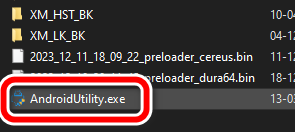
After opening the program tool, it should take only a few seconds for it to load on your computer. If you see a smart card error, it means that you haven't connected any dongle to your computer and you will only be able to use a few features in the tool. Once the tool is open, you can connect your device to the computer and choose the function you need to perform. Enjoy the new update of Android Utility Tool Pro.
Download Link [Android Utility Tool]
- Android Utility Tool Pro V130: Download [PASS: mfdl]


Post a Comment