
Xiaomi Power Qualcomm Auth Tool v1.0.0.0 Free Download
In this post, I have the latest version of Xiaomi Power Tool, which allows Qualcomm auth flashing and many other features. You can use the tool to flash any Qualcomm Xiaomi device, remove your Mi account, reset FRP, and wipe data free of charge. Additionally, the tool allows you to wipe, backup, and restore EFS data. You can register the tool for free, but you need to purchase a credit balance to perform operations. The tool comes with many models and allows you to perform all operations without debiting credit balances. I have demonstrated all the features of this tool in this post, which you can see below.


Features Xiaomi Power Qualcomm Auth Tool:
- Flashing Qualcomm Xiaomi Device (ANY)v [Charge 5 Credit]
- You can reboot after the flash
- Safe IMEI
Reset Tools:
- Wipe EFS
- Backup EFS
- Restore EFS
- Mi Cloud Reset (13 Digit Unlock code)
Also, you can tick an auto reboot, factory reset after process option with the above task
ADB & Fastboot Tools:-
- Read Informations (Fastboot)
- Read Informations (Mi Assistant)
- Reset EFS (Mi Assistant Mode) O Credit
- Wipe Storage (Mi Assistant Mode) O Credit
- Reset FRP / Wipe Data (Mi Assistant Mode) 1 Credit
Extra:-
- Auto-detect - com port also you can untick to choose manually port
- Model - you can choose a model from the list
- Custom Loader - Choose custom loader if you have any patch loader then choose this option
- MEMORY TYPE - UFS, EMMC choose which type of storage in your device
Credit:
- EDL Auth Flash: 5 credits
- MTK Auth Flash: 8 credits
- Recovery FRP: 1 credits
- Mi Cloud Reset: 5 credits
- EFS Reset: 5 credits
How to download and register?
- First, you can download the tool from the below link
- Extract the file on your computer using WinRAR or 7Zip
- Next, register the tool from the following link
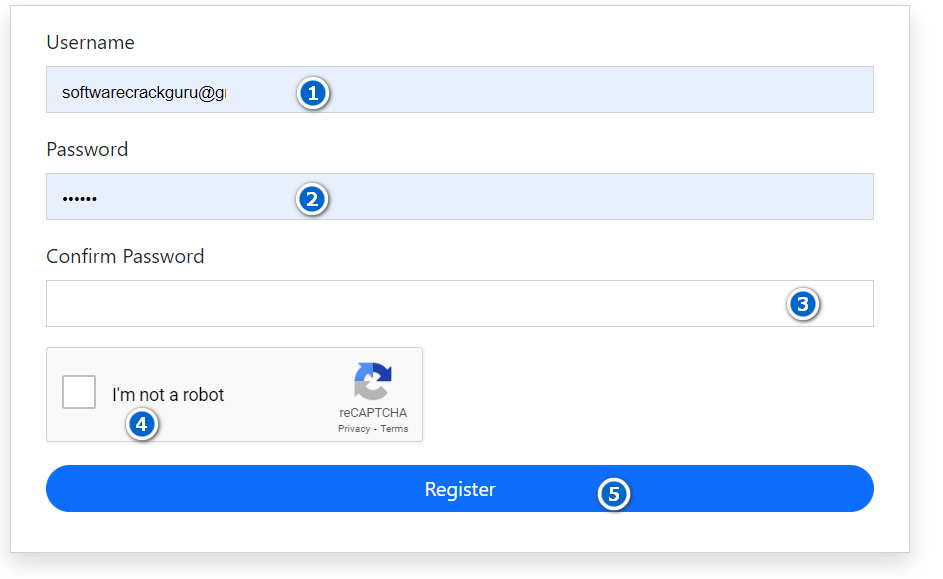
- Enter your Username, Password and Fill Captcha, and simply click on the "Register" button
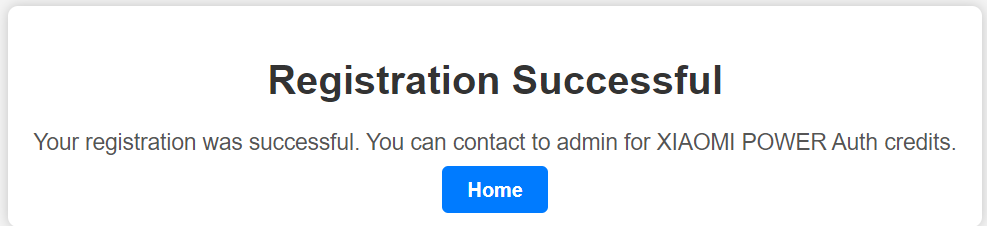
- Once you have created an account simply go back and enter your username and password in the tool prompt and log in to the tool
- Next refill the credit balance from the following link
- Once a credit balance is available you can use the all functions of the tool
- also in the tool many operations you can do without any credit.
- Enjoy!

Download Link
- Xiaomi Power Qualcomm Auth Tool v1.0.0.0: Download
إرسال تعليق