
HaaFedk iCloud Free V14 Download


✅ Full Feature List – HaaFedk iCloud Free
🔹 HELLO Mode (iOS 15–16)
- 🔸 Read Device Info
- 🔸 Activate Jailbreak Hello iOS 15–16 (Needs Checkra1n jailbreak or equivalent)
- 🔸 Activate Jailbreak Hello ios 15–16 (Need Change SN option)
🔹 PASSCODE Mode
- 🔸 Check Device
- 🔸 DFU | Boot iOS (15.X)
- 🔸 DFU | Boot iOS (16.X)
- 🔸 SSH | Passcode Backup
- 🔸 SSH | Passcode Activate
🔹 General Tools
- 🔧 Fix SSH or Mount
- 🔧 DFU | Factory Reset
- 🔧 Ramdisk | Factory Reset
- 🔧 Fix Blue Screen
- 🔧 FIX DRIVERS
- 🔧 LIB USBK DRIVERS (Install in DFU)
- 🔧 Go to Recovery
- 🔧 Device Manager
🟣 Purple Mode Features (Advanced Tools)
🔸 Write / Edit Info:
- SN (Serial Number)
- Mode
- Region
- WiFi MAC (WMac)
- Bluetooth MAC (BMac)
- Ethernet MAC (EMac)
- MLB
- Model
- NVSN
- NSRN
- LCM#
- BCMS
- FCMS
- MTSN
🔸 Purple Mode Utilities:
- Clear All
- Select All
- Deselect All
- Write All
- Change SN To (Custom Serial Input)
- Check Device
- Enter Diag Mode
- Connect iDevice
- Read Device Info
- Backup
- Restore
- Unbind WiFi
- Reboot iDevice
- iCloud Unlock
- Factory Reset
- Exit Recovery
- Fix Drivers
🧰 Other Utility Tools
- Jailbreak or Pwnd detection
- Check IMEI → Apple Info
- Open the Backups Folder
- Registration Free (SN / Hardware ID)
- Hardware ID Registration
🔄 Device Info Panel (Live Information Display):
- MEID or GSM
- Jailbreak Status
- Mode
- UDID
- ECID
- Serial
- Product Type
- iOS Version
- NAND Size
🍎 HaaFedk iCloud Free V14 🍎
Made in Egypt ❤️ By EmadHaafedk
🚀 What's New in Version 14
- ✅ Fixed device lock issue after bypass with passcode
- ✅ Fixed App Store not working after bypass
- ✅ Fixed all known bugs from previous version
- 📱 Added full support for all jailbreak devices
- 📱 Added support for all iOS versions (old and new) on same models
- 📱 Added full iPad jailbreak bypass support
- 📱 Added iPad bypass with serial change support
- 🔧 Added device serial edit option for iPad bypass
📱 Supported Devices
📲 iPhone
iPhone 5s / 6 / 6 Plus / 6s / 6s Plus / SE (1st Gen)
iPhone 7 / 7 Plus / 8 / 8 Plus / X
📲 iPad
iPad Air 2 / iPad mini 4 / iPad Pro 1st Gen
iPad 5th to 9th Gen / iPad Pro 2nd to 6th Gen
iPad mini 5 / iPad Air 3rd to 5th Gen
✔ Simple update with bug fixes and better support for iPhone and iPad devices.
🆕 Haafedk iCloud Free v12 – Changelog
🔧 General Improvements
- ✅ Fixed all known website errors
- 🔐 Enhanced full protection for the platform
- 🛠️ Improved overall tool stability and performance
📤 New Feature: “Send Activation Files”
Help us support more devices by contributing activation data.
🔹 How It Works:
If you have an iPhone or iPad that is:
- ✔️ Already activated
- ✔️ Jailbroken
- ✔️ Currently unsupported by the tool
You can now:
- 📌 Click the “Send Activation Files” option
- 📁 The tool will automatically:
- Collect required activation files
- Compress them
- Send them securely to the Haafedk team
🙏 Your contribution helps us analyze and add support for new models faster, benefiting the entire community.
🧠 New: iPad Activation with Jailbreak (Hello Screen)
- 🔹 Added support for activating jailbroken iPads stuck on the Hello screen
- 🔧 All related errors have been resolved
📱 Supported iPad Models:
|
Device Name |
Identifier |
|---|---|
|
iPad 5 |
iPad5,2 |
|
iPad Pro 9.7" |
iPad6,3 / iPad6,4 |
|
iPad 6 |
iPad6,11 / iPad6,12 |
|
iPad 7 |
iPad7,5 / iPad7,6 |
|
iPad 8 |
iPad11,6 / iPad11,7 |
|
iPad 9 |
iPad12,1 / iPad12,2 |
|
iPad 10 |
iPad13,18 / iPad13,19 |
|
iPad Air 4 |
iPad13,1 / iPad13,2 |
|
iPad Air 5 |
iPad13,16 / iPad13,17 |
|
iPad Mini 6 |
iPad14,1 / iPad14,2 |
|
iPad Pro 11" |
iPad8,1–iPad8,4 / iPad8,9–iPad8,12 |
|
iPad Pro 12.9" |
iPad8,5–iPad8,8 / iPad8,11–iPad8,12 |
|
iPad Pro 11" 3rd Gen |
iPad13,4–iPad13,7 |
|
iPad Pro 12.9" 5th Gen |
iPad13,8–iPad13,10 |
|
iPad Pro 11" 4th Gen |
iPad14,3 / iPad14,4 |
|
iPad Pro 12.9" 6th Gen |
iPad14,5 / iPad14,6 |
📱 Supported iPhone Models:
|
Model |
Notes |
|---|---|
|
iPhone SE |
🔧 Requires DCSD cable |
|
iPhone 6s / 6s Plus |
🔧 Requires DCSD cable |
|
iPhone 7 / 7 Plus |
✅ Fully supported |
|
iPhone 8 / 8 Plus |
✅ Fully supported |
|
iPhone X |
✅ Fully supported |
📱 Supported iPod/iPad Models:
|
Model |
Variant |
Notes |
|---|---|---|
|
iPad Air 2 |
WiFi (A1566) / 4G (A1567) |
🔧 Requires DCSD |
|
iPad Mini 4 |
WiFi (A1538) / 4G (A1550) |
🔧 Requires DCSD |
|
iPad 5 (2017) |
WiFi (A1822) / 4G (A1823) |
🔧 Requires DCSD |
|
iPad 6 (2018) |
WiFi (A1893) / 4G (A1954) |
✅ Supported |
|
iPad 7 (2019) |
WiFi (A2197) / 4G (A2198 / A2200) |
✅ Supported |
|
iPad Pro 10.5 |
WiFi (A1701) / 4G (A1709 / A1852) |
✅ Supported |
|
iPad Pro 12.9 2nd Gen |
WiFi (A1670) / 4G (A1671 / A1821) |
✅ Supported |
|
iPad Pro 2 (12.9") |
WiFi / LTE |
✅ Supported |
How do you download and use HaaFedk iCloud Free Tool v12?
- Download HaaFedk iCloud Free Tool v14 from the links below.
- Install the setup file
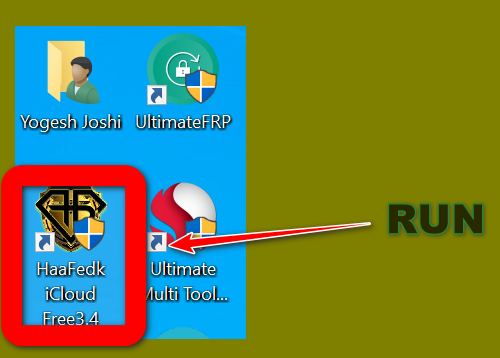
- Extract the zip file and run the HaaFedk iCloud Free Tool.exe file as an administrator.
- Now that you have run it, it shows to activate the HWID from the server. Then you need a simple small program that is already added in the zip file; simply extract that program on your Windows desktop and click on the "Start Patch" button. It instantly allows you to connect with the server and activate your HWID.
- Now once you can follow the above steps again run the program with admin permission, and now you have simple show message like "connected successfully mean you have registered the HWID successfully and the program is ready for use.
- Now connect the button, and you can open a program.
- Connect your device to your computer using a USB cable or WiFi.
- Select the feature you want to use from the menu and follow the instructions on the screen.
- Enjoy your unlocked and activated device.



Download Link
- Filename: HaaFedk-iCloud-Free-V14.zip
- Filesize: 595.96 MB
- Developer: haafedk
- Source: Website [https://haafedk2.com/]
- Free or Paid: Free
- Download Link: HaaFedk iCloud Free Tool v14
- Password: Haafedk
What's new in my login patch
- No need to open any website for activation
- You can login even if server is not working
- All ads are removed (clean experience)
- New update fully supported
- Overall performance improved
- Tool is now more stable and easy to use
Previous Version
- HaaFedk iCloud Free Tool v12
- HaaFedk iCloud Free Tool V11
- HaaFedk iCloud Free Tool v10.1
- HaaFedk iCloud Free Tool v9
- HaaFedk iCloud Free Tool v8.2
- HaaFedk iCloud Free Tool v7.0
- HaaFedk iCloud Free Tool v6.2
- Haafedk iCloud Free Tool V6.1
- Haafedk iCloud Free Tool V5
- Haafedk iCloud Free Tool V4.3
- Haafedk iCloud Free Tool V4.2
- Haafedk iCloud Free Tool V4.1
- Haafedk iCloud Free Tool V4 | v3.6 | v3.5
إرسال تعليق